The membership mobile app and the Marketplace mobile app are now one and the same! Please take a few minutes to download it and set yourself up ahead of the event.
iPhone Download
Android Download
Why you need this app:
- It is your only access to your appointment schedule
- Printed schedules will no longer be provided on-site.
- Change and cancellation requests will be notified through this app
- All event information can be accessed in one place, including:
- Full event schedule
- Silent Auction
- Venue map of hotel and conference centre
- Buyer Booth Map
- Direct delegate-to-delegate messaging
- Shuttle transportation schedule
- Evening event details
To download the Marketplace Mobile App, use the links above, the QR codes above, or go to your App Store (iPhone) or Play Store (Android) and search for OMCA Connect.
Printed schedules will not be provided at check-in. Please use our mobile app.
Once you have downloaded the app, open it.
Please ALLOW NOTIFICATIONS to ensure you don’t miss updates from OMCA or appointment requests from other delegates.


You will be required to log in to the app with your OMCA personal credentials. These are the same credentials that you use to access the MyOMCA Event Portal and Member Portal.
Once you have logged in, you will not be asked to log in again unless you purposely log out or remove the app from your phone.
The membership app functionality is on the left menu, titled ‘Association’.
If you are registered for Marketplace, then once the Marketplace app functions are launched, you will see the Marketplace menu at the top .
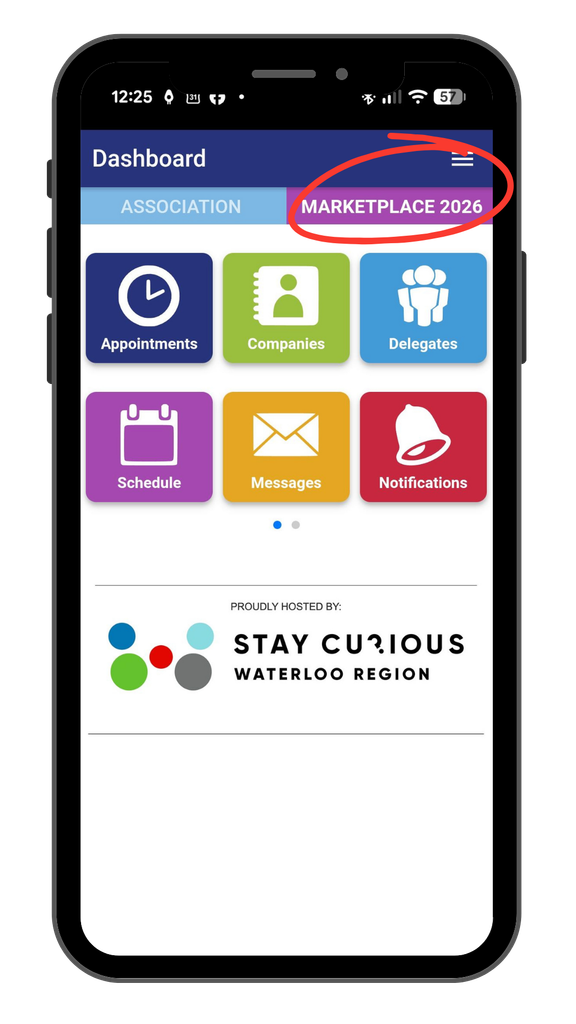

This is your menu, accessible by tapping the three lines in the top right corner. All the information that you need for a successful event is right here.
The event schedule will provide the 3-day schedule of where to be and when throughout the Marketplace event.
One of the most important features of the mobile app is live access to your appointment schedule.
NOTE: Only appointment-taking delegates will have access to the company’s appointment schedule


Clicking on any appointment will give you a detail screen with additional options. By clicking on the appointment menu, you can:
- cancel the appointment
- send that delegate a message
- add a note about your appointment (only visible to you), or
- report them as a No Show.
If a delegate that you are scheduled to meet with doesn’t honour their appointment with you, please Mark as No Show for OMCA’s records.
Silent Auction is available through the app!
Select Silent Auction from your mobile app’s menu and you will be redirected to the biddingforgood.com website that hosts the OMCA Silent Auction.
Note: You will need to set up an account with Bidding For Good to be able to donate or bid on items.
